Keep your life privatePrivate photo vault for iPhone and iPad
Photos, videos, files and notes, really encrypted on your device and opened with a pattern only you know. No account, no servers of our own, no ads or tracking. Works offline.
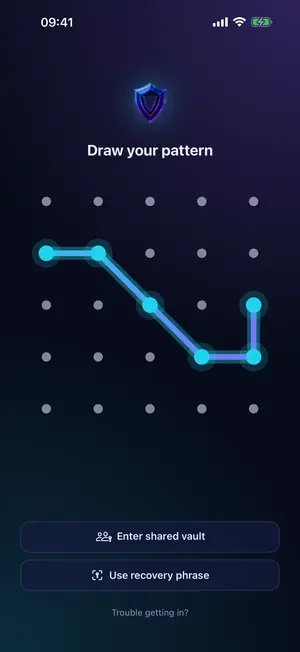
Connect at least 4 dots on a 5×5 grid. That pattern opens your vault. There is nothing to sign up for.
2
Add what matters
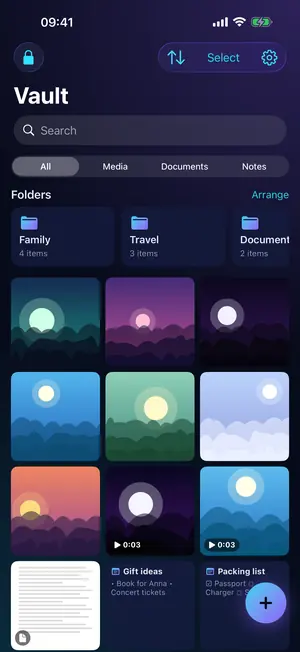
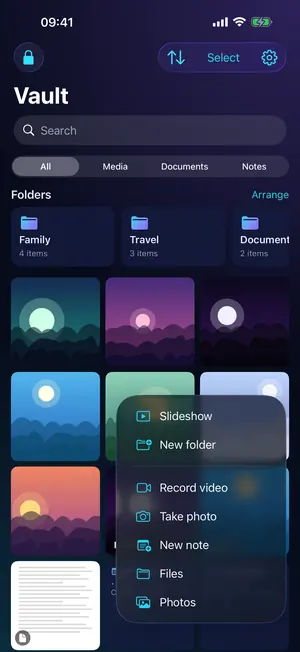
Bring in photos and videos from Photos, files from the Files app, or shoot straight into the vault.
3
Keep your phrase
Write down your 24-word recovery phrase. It restores your encrypted iCloud backup on a new device.
Features
Everything a private vault should do
Features marked Pro need a Pro plan. Everything else is free.
Real encryption, not just hiding
Every photo, video, file and note is encrypted with AES-256-GCM before it is stored, thumbnails and names included.
Keys derived from your pattern with PBKDF2-SHA256, 600,000 iterations
Secrets kept in the iOS Keychain
Nobody else holds the keys, not even Thundera
Unlock with a pattern
No PIN to guess and no password to remember. Draw your pattern on a 5×5 grid to open your vault.
At least 4 dots, on 25 possible points
Show or hide the line while you draw
Auto-lock immediately, after 1 minute or after 5 minutes
A vault for every pattern
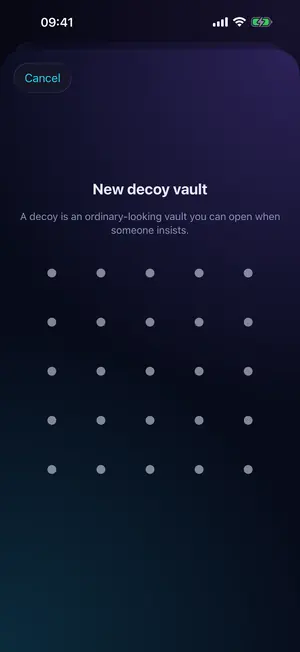
Each pattern opens its own vault, and the app never shows a list of them. Add a decoy vault to open when someone insists.
3 vaults free, unlimited vaults with Pro
Decoy vaults look like any ordinary vault
Duress vault (Pro): its pattern removes every other vault from this device, while your encrypted iCloud backups are kept
Encrypted backup to your iCloud
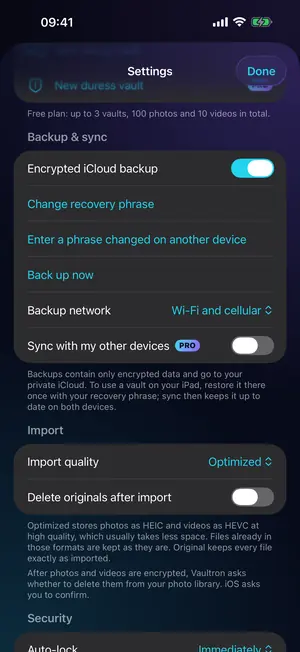
Backups go to your own private iCloud, encrypted and sealed to a 24-word recovery phrase that only you keep.
Free, and on by default
Over Wi-Fi only, unless you also allow cellular
Change your recovery phrase at any time
iPhone and iPad, in sync Pro
Keep your vaults in step between iPhone and iPad through your private iCloud.
Restore a vault once on the second device with your recovery phrase
After that, changes sync about once a minute
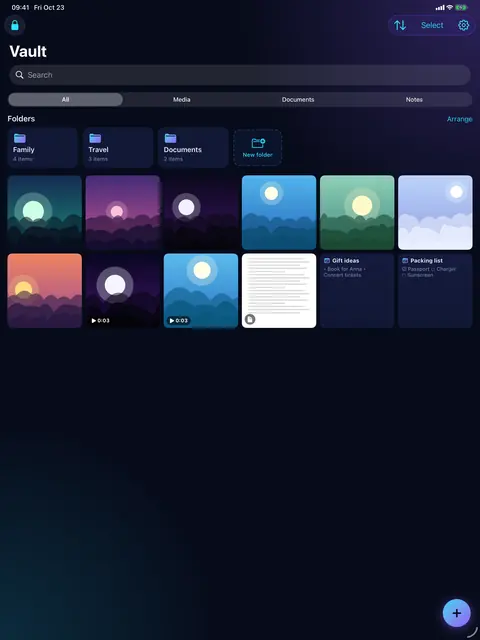
Made for both screens, with drag and drop on iPad
Bring everything in
Import from Photos, up to 50 items at a time, or any file from the Files app. On iPad, drag and drop.
Take photos and record videos with the in-vault camera
Optionally delete the originals after import: each encrypted copy is checked first, and Vaultron asks before anything is deleted
Optimized (HEIC/HEVC) or Original quality
Secure notes
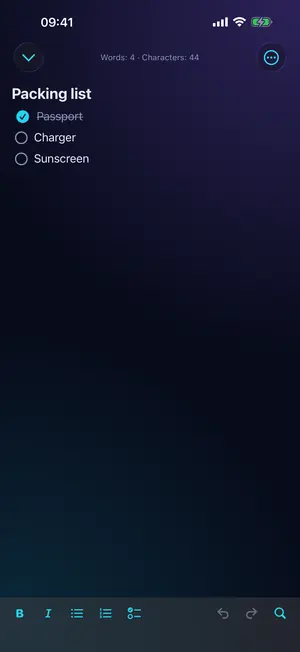
Write notes inside a vault, encrypted like your photos and included in backup and sync.
Headings, bold, italic, lists and checklists
Find and replace, undo and redo
Export as Markdown or plain text
Folders, search and filters
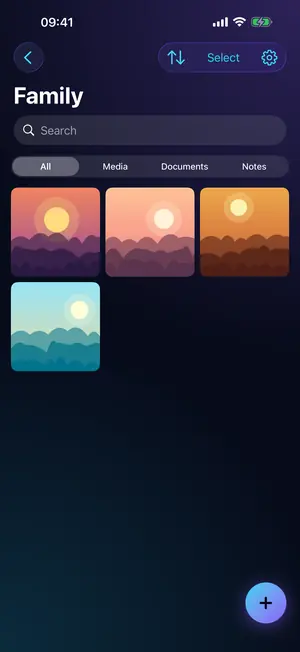
Keep things tidy with folders, find them with search, and filter by Media, Documents or Notes.
Sort by newest, oldest, date taken, size, name or your own order
Thumbnails or a list view with sizes, types and dates
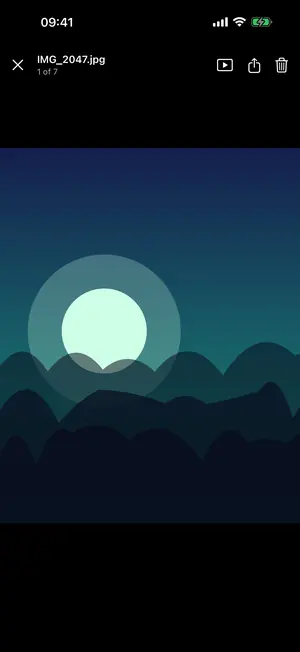
Slideshow (Pro) plays a vault full screen
And the details that make it yours
Shared vaults Pro
Share items as an encrypted file with a six-word passphrase. Set an expiry date, an open limit and whether export is allowed. Opening a shared vault is free.
Screenshot protection
Vault screens come out black in screenshots, screen recordings, mirroring and AirPlay. On by default.
Location stays private
Location, camera and date details are removed from photos and videos before they are shared.
Slideshow Pro
Play the photos and videos in a vault full screen.
Alternate icons Pro
Five app icons: Aurora, Ember, Mono, Midnight and Gold.
Shake to lock
If someone grabs the device while a vault is open, the vault locks at once. Free and on by default. It locks the vault, not your iPhone.
Dark and light
Follows your system, or choose Dark or Light.
Shake to lock
Snatched? It locks.
If someone grabs your iPhone while a vault is open, the sudden jerk locks the vault at once. Two or three quick shakes do the same. It locks the vault, not your iPhone.
On by default, and free
Low, Medium or High sensitivity in Settings → Security
Open photos, videos and sheets close behind a cover, so nothing shows on the way to the lock screen
Privacy
Your vault is nobody's business
Vaultron is built so that there is nothing to collect: no sign-up, no servers of our own and no third-party code.
No account
No email, no login, nothing to sign up for.
No servers of our own
No Vaultron server receives your files, keys, patterns or phrases. The app talks only to your private iCloud and the App Store.
No ads, no tracking
No analytics, no ads and no trackers. Error reports stay on your device unless you send one yourself.
GDPR Privacy by design, in line with GDPR. No account and no servers of our own, so your files never pass through us. Your data stays on your device and, if you choose, in your own iCloud, always encrypted (AES-256-GCM). No personal data is collected, there are no ads and no tracking. Anonymous error reports leave your device only when you send them. Built in the EU by Thundera Group. Privacy & GDPR →
The free plan is a complete vault. Pro removes the limits and adds sync, sharing and more.
Feature
Free
Pro
Vaults
3
Unlimited
Photos and videos
100 photos · 10 videos
No limit
Documents and notes
Not counted
Not counted
Decoy vaults
Included
Included
Encrypted iCloud backup
Included
Included
Open shared vaults
Included
Included
Duress vault
Not included
Included
iPhone and iPad sync
Not included
Included
Create shared vaults
Not included
Included
Slideshow
Not included
Included
Alternate app icons
Not included
Included
Pro prices · Just me
Weekly
$1.49
per week
Family: $3.99
Monthly
$3.99
per month
Family: $9.99
Yearly
7-day free trial
$17.99
per year
Family: $39.99
Lifetime
$35.99
one-time purchase
Family: $89.99
Family plans support Family Sharing. Prices here are USD list prices. The app shows every plan in your local currency, straight from the App Store. Purchases are handled by Apple.
No. Vaultron has no server that receives them, and Thundera never receives your keys, patterns or recovery phrase.
What happens if I lose my iPhone?
If backup was on and you have your 24-word recovery phrase, you can restore your vaults on another device.
I forgot my pattern. What can I do?
Vaultron cannot show your pattern. On the lock screen, tap Trouble getting in? to restore from your encrypted backup with your recovery phrase, or erase this device and start again.